Aaavatar has three new effects: Urban Chic, Blue Drawing and Colored Lines. Each one takes the portrait you already made and gives it a look of its own, while you still look like you. They’re in the Effects panel now, so you don’t need to update the app.
Urban Chic
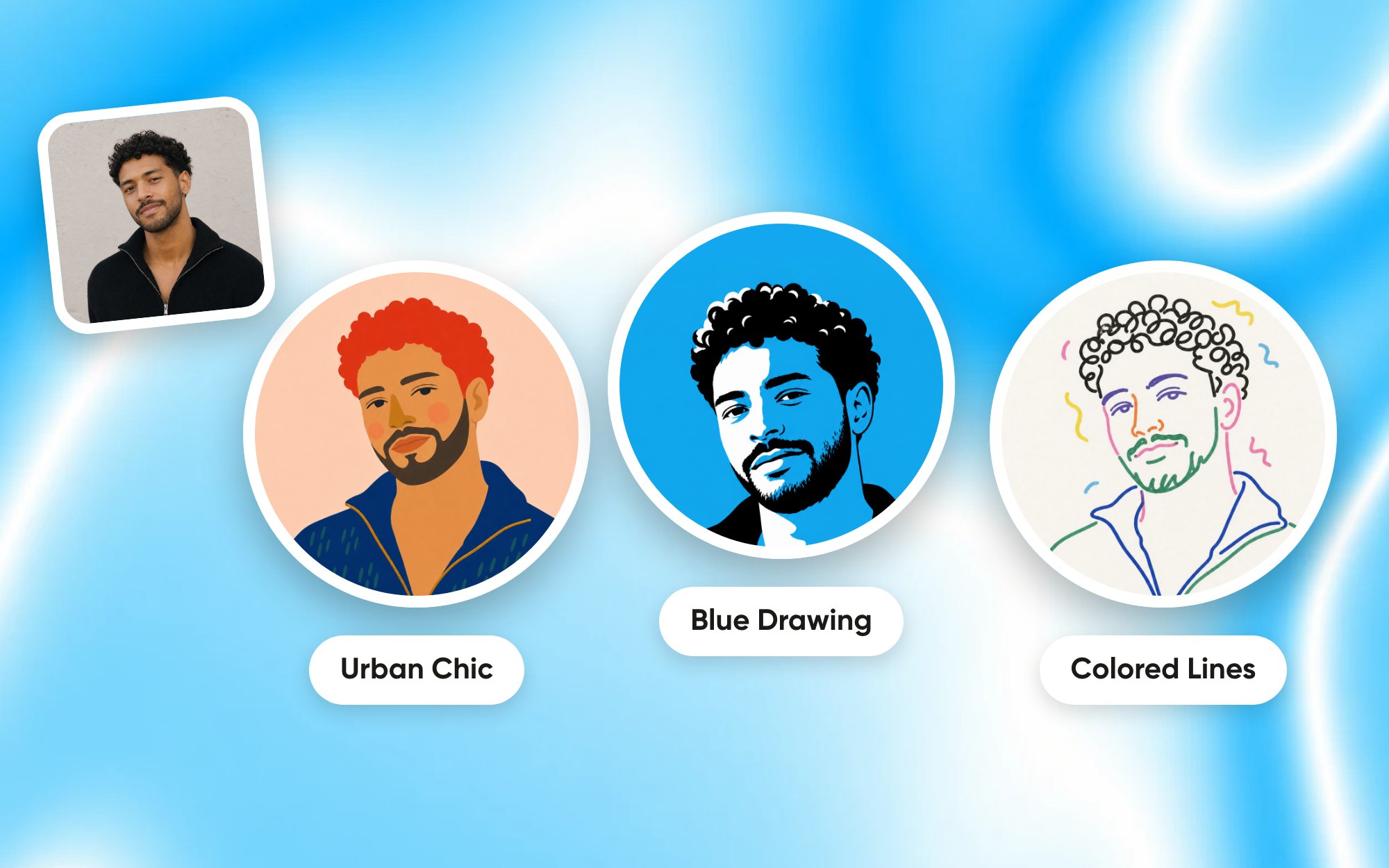
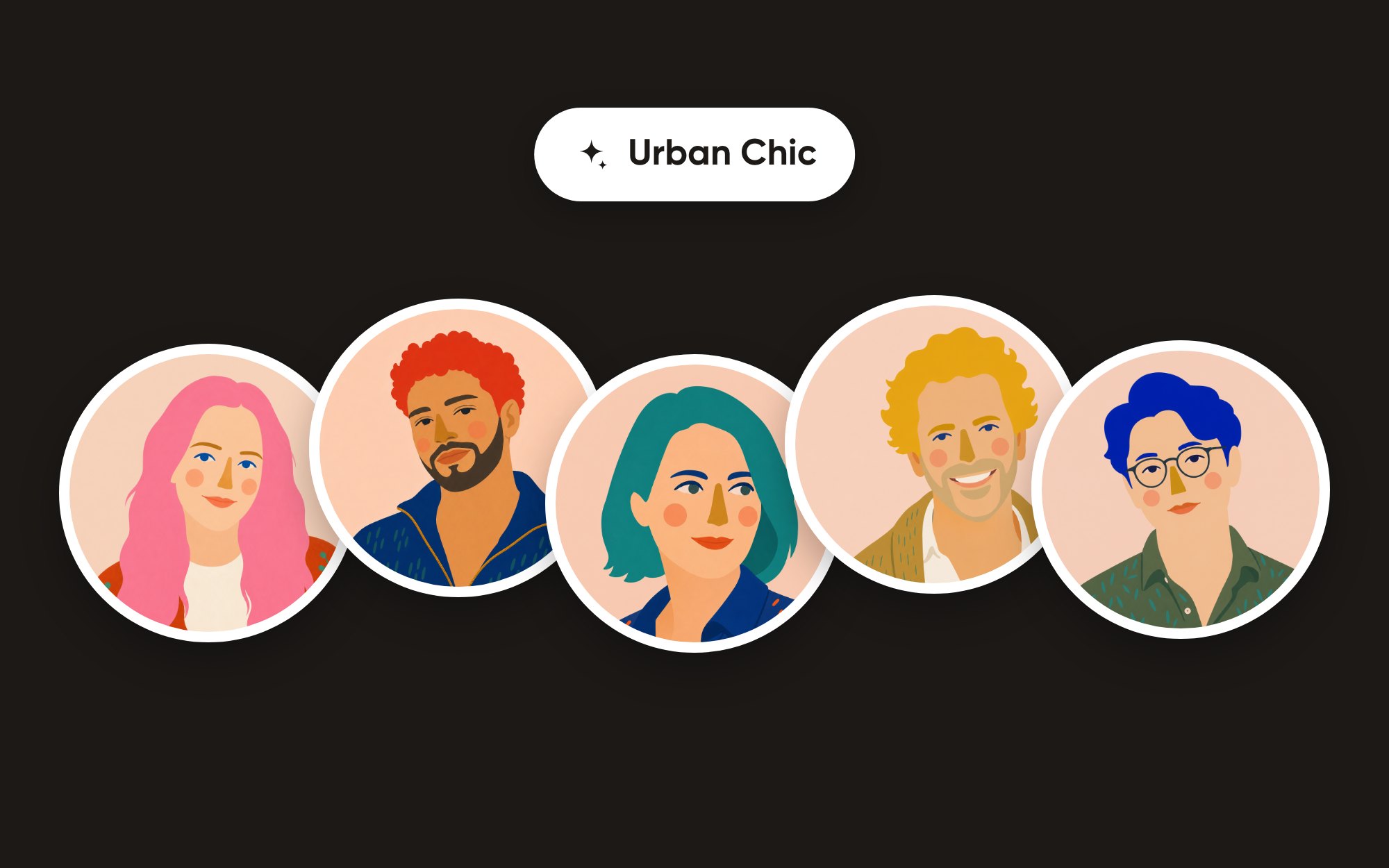
Urban Chic paints your portrait as a flat fashion illustration: matte gouache colour, a fine grain, round soft blush and a simple geometric nose. The face stays smooth and graphic, without wrinkles or shading, and your hair becomes one solid shape.
That hair gets a bold colour of its own, picked fresh every time you make one: cobalt, vermilion, teal, pink, mustard, violet or tangerine. Not your colour? Make it again.
Blue Drawing
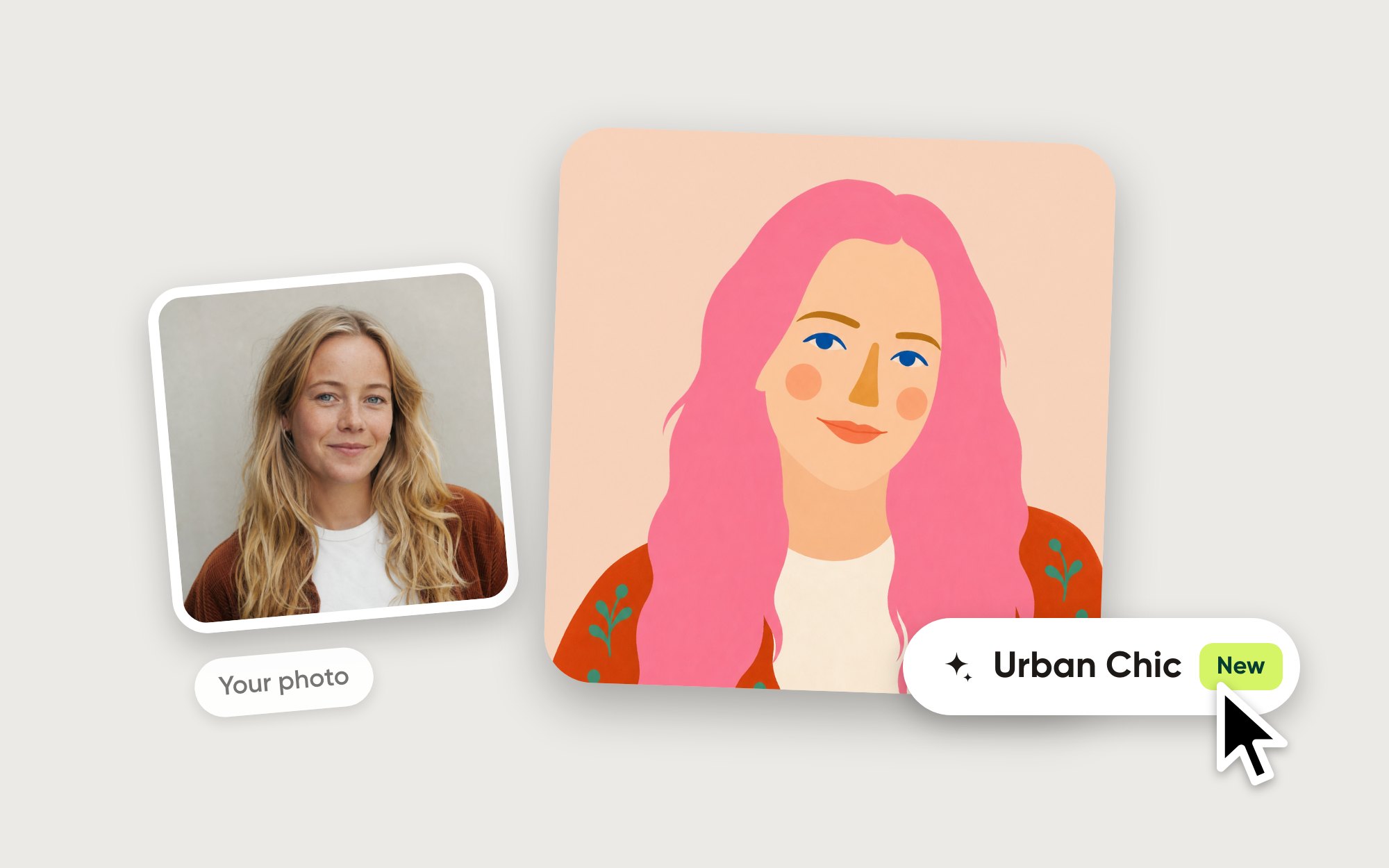
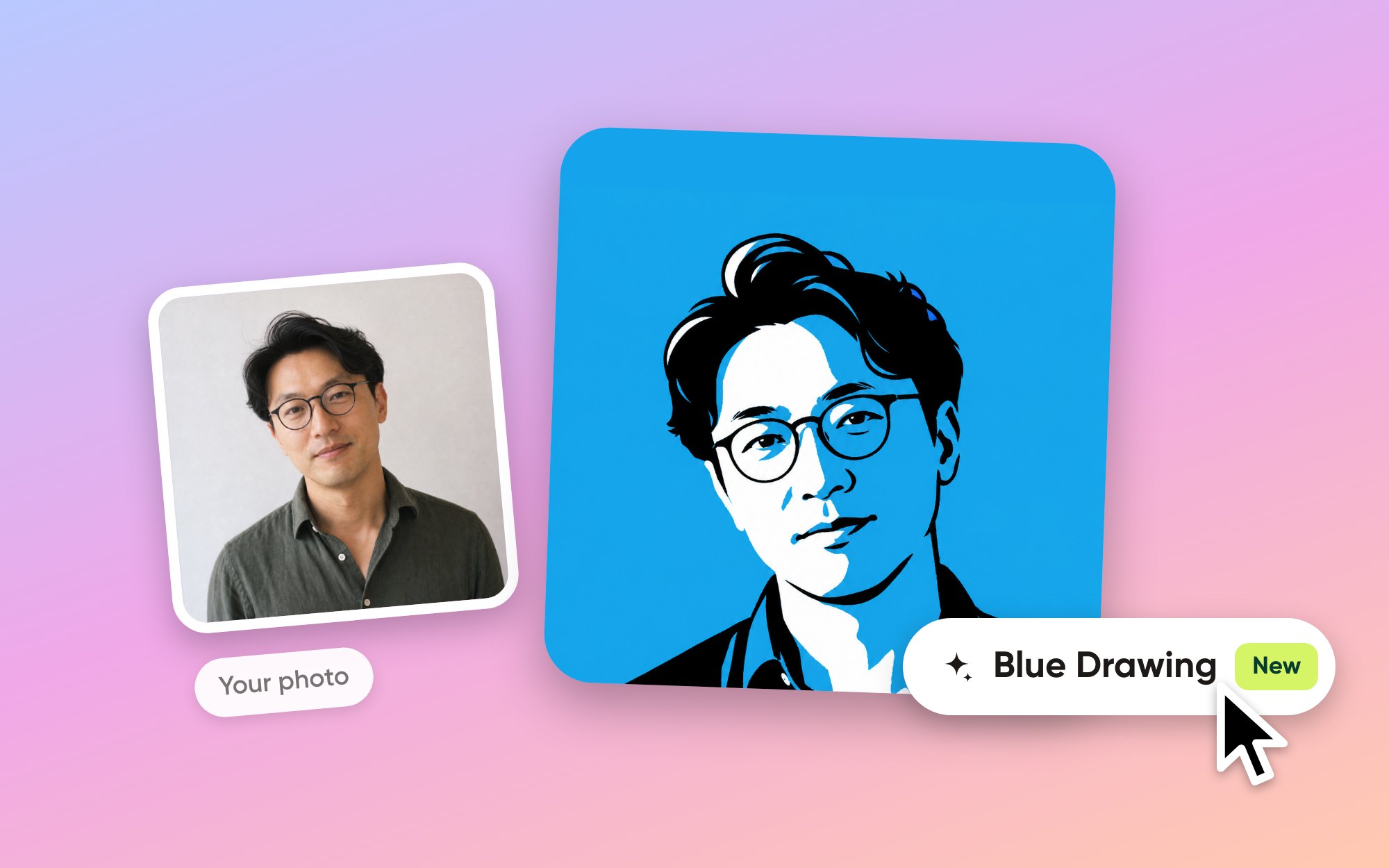
Blue Drawing turns your photo into a bold editorial ink portrait in three flat colours: black, white and one bright sky blue. A few thick brush strokes and large black shapes, no fine hatching. It’s the look of a newspaper portrait, and it stays crisp at every size, down to a tiny Slack avatar.
Colored Lines
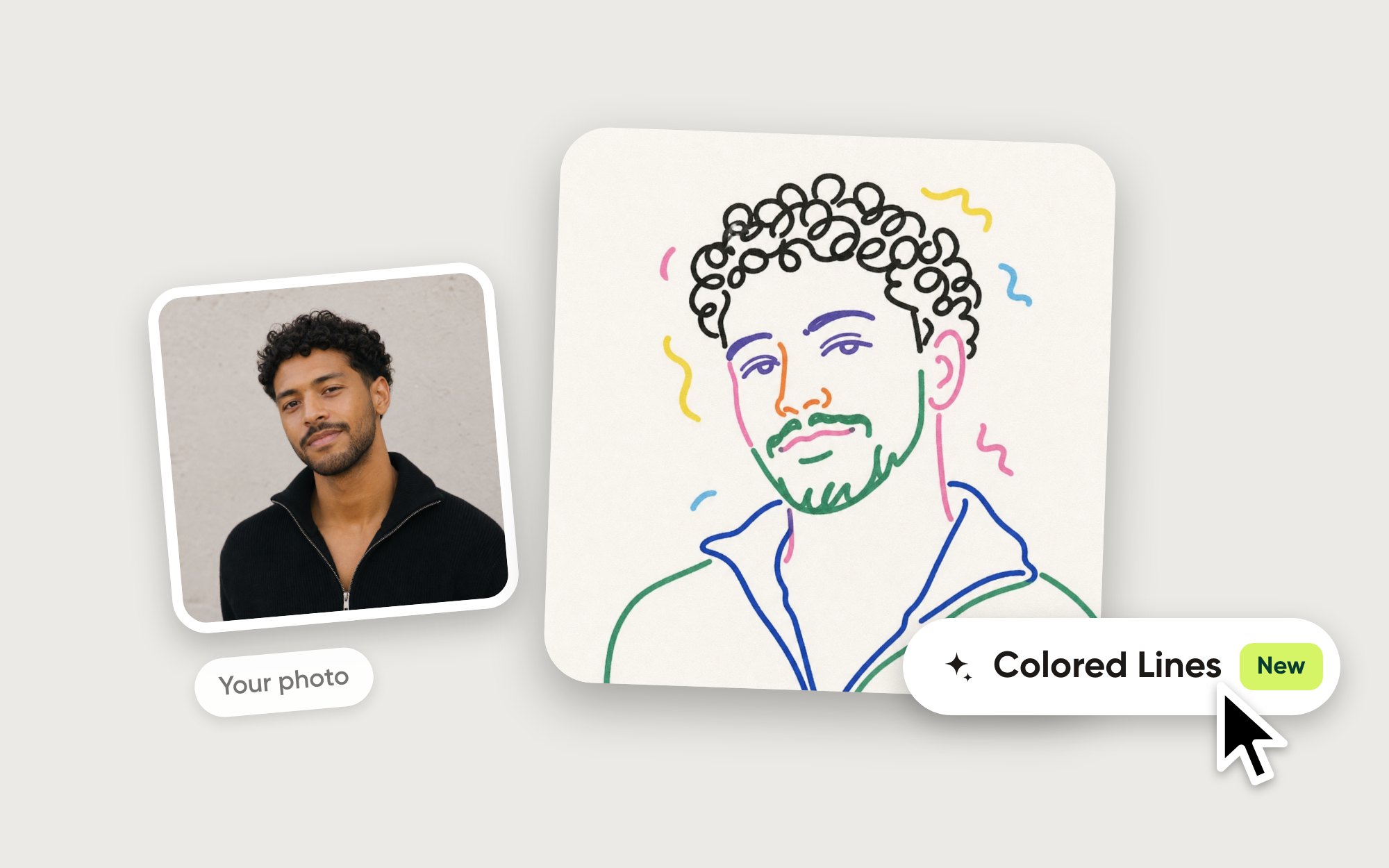
Colored Lines draws you with a thick felt-tip marker in a few loose lines, each feature in its own bright colour, with a couple of squiggles floating around your head. It’s light and playful, for a profile photo that’s allowed to be a little less serious.
How to try them
Open a portrait in Aaavatar and click Effects in the toolbar.
Pick Urban Chic, Blue Drawing or Colored Lines. The effect is made in the cloud and takes about a minute.
Flip back and forth. An effect you’ve made stays on the portrait, so going back to it, to another effect or to your original doesn’t cost credits again.
Effects are part of Pro and use 4 credits each. Pro comes with 200 credits a month, for €4.99 a month or €49.90 a year.
Want to see all ten effects on one team? Have a look at team photos with a look of their own.